ALL3D glossary
Product visualization
Product visualization is the process of creating visual representations of a product so people can understand how it looks, works, and fits into their lives before seeing it in person.
- 3D product visualization
- digital product visualization
Definition
What is product visualization?
In ecommerce, product visualization usually refers to digitally created or enhanced content such as product renders, AI-generated lifestyle images, 360° spins, interactive 3D models, and augmented reality experiences.
The goal is not simply to make a product look attractive. Effective product visualization communicates the details a shopper needs to make a confident decision: shape, material, color, scale, configuration, and real-world context.
In one sentenceProduct visualization turns product information into visual content that helps shoppers understand what they are buying.
Business value
Why product visualization matters
Online shoppers cannot hold, inspect, or try a product before purchasing it. Strong visualization closes that gap while giving creative teams more ways to produce and reuse content.
Show the full product
Present important angles, materials, dimensions, and variations instead of relying on a single hero shot.
Create useful context
Place a product in a realistic setting so customers can judge its style, scale, and intended use.
Keep channels consistent
Build product detail page, marketplace, campaign, and social assets from the same approved product source.
Adapt without a reshoot
Create new angles, scenes, formats, and colorways as a catalog or campaign changes.
The workflow
How product visualization works
The exact workflow depends on the desired output, but most product visualization follows three stages.
- 1
Start with a product source
A team supplies product photography, design files, an existing 3D model, or another accurate reference.
- 2
Build the visual
The product is rendered, generated, or composed with the right materials, lighting, camera angle, and setting.
- 3
Prepare every output
The approved visual becomes channel-ready imagery, video, a 360° spin, an interactive model, or an AR experience.
In practice
Common product visualization examples
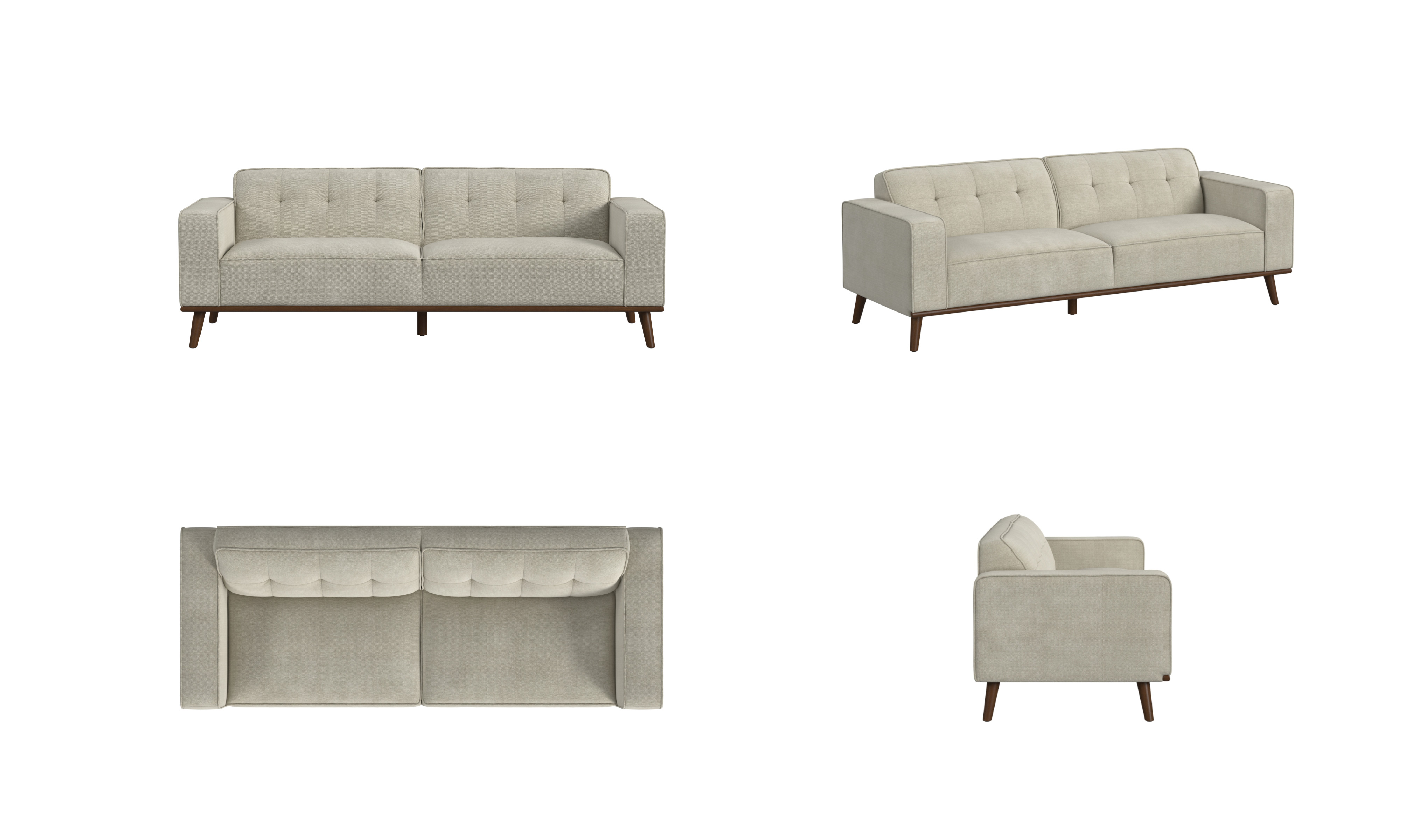
Product imagery
Clean, consistent views make shape, finish, and construction easy to inspect on a product detail page.
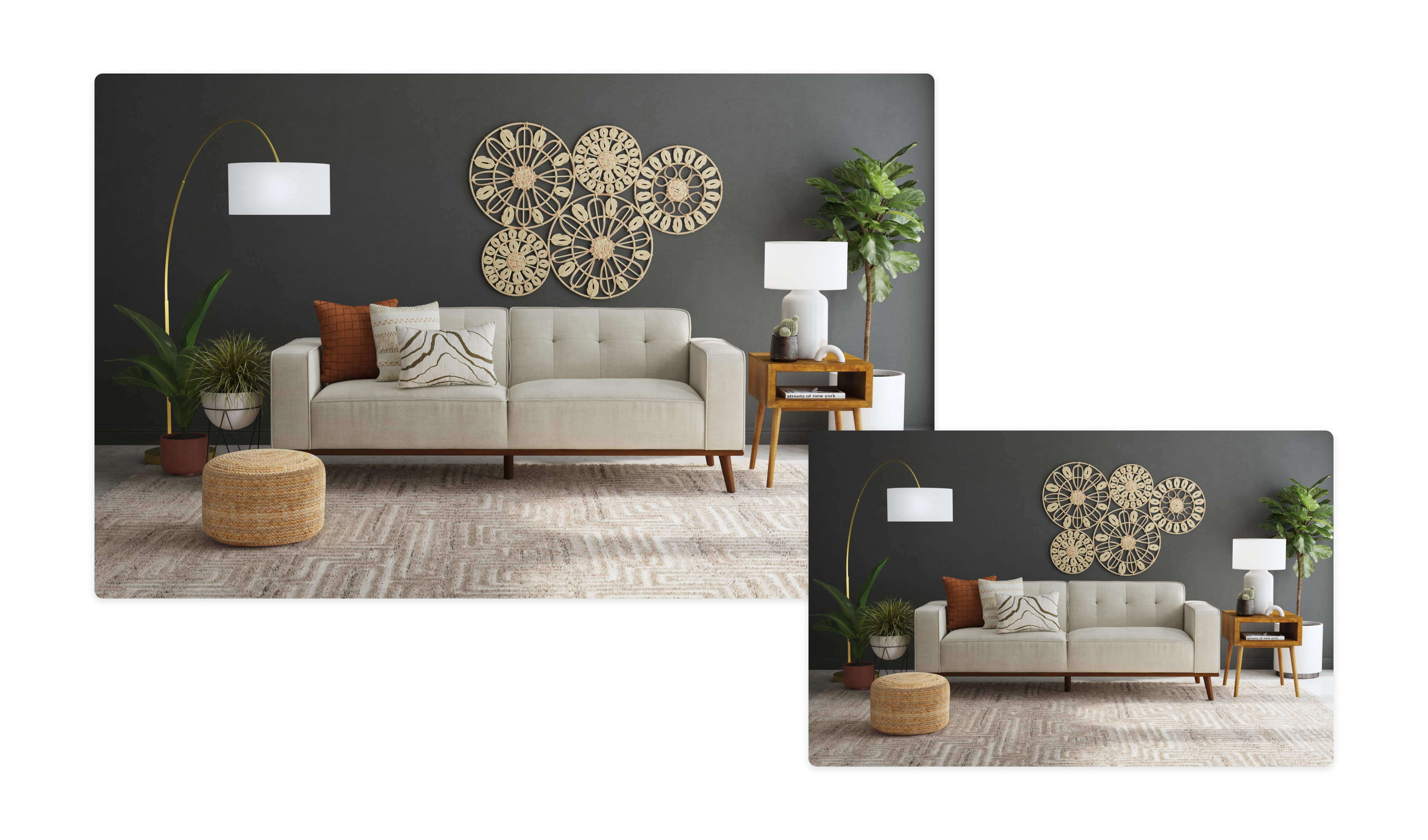
Lifestyle imagery
A styled scene shows how the product relates to a room, a use case, and a brand aesthetic.
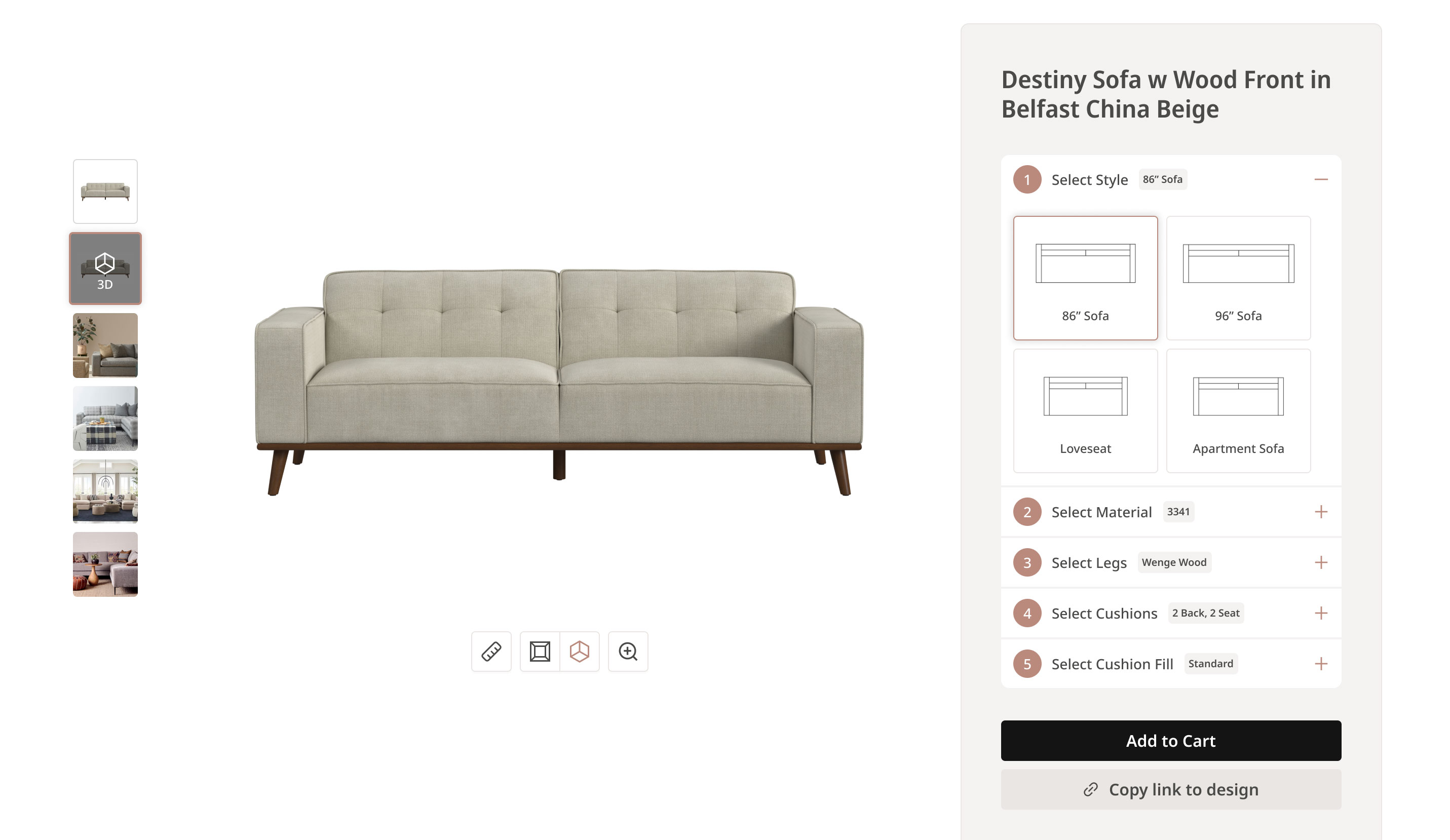
Interactive product configuration
A configurator turns the product model into a shopper-controlled experience for exploring styles, materials, components, and contextual views.
The distinction
Product visualization vs. product photography
Both can create excellent ecommerce imagery. The difference is how the image is made and how easily the underlying scene can change.
| Compare | Product visualization | Traditional photography |
|---|---|---|
| Starting point | Product references, design files, or a 3D asset | A physical product sample |
| Environment | A digital or AI-assisted scene | A physical studio or location |
| Making changes | Adjust the scene, camera, material, or output | Restage and photograph the product again |
| Possible outputs | Images, video, 360°, interactive 3D, and AR | Still images and recorded video |