ALL3D glossary
Product imagery
Product imagery is the collection of visual assets a brand uses to show, explain, and sell a product across ecommerce, marketing, and sales channels.
- product images
- ecommerce product imagery
Definition
What is product imagery?
A product imagery set can include clean product-only views, close-up detail shots, color and configuration variants, lifestyle scenes, scale references, infographics, 360° spins, and other visuals that help shoppers evaluate an item.
The term describes what the customer sees, not how the asset was made. Product imagery may come from photography, 3D rendering, AI-assisted creation, graphic design, or a combination of methods. What matters is that the product remains accurate and the images work together as a clear, consistent set.
In one sentenceProduct imagery is the complete visual system that helps shoppers recognize a product, understand its details, and picture owning it.
Business value
Why product imagery matters
In ecommerce, images often carry the work that a physical display and an in-store associate would otherwise do. A thoughtful image set answers questions while keeping the product presentation consistent wherever it appears.
Make the product easy to evaluate
Multiple angles and detail views reveal shape, construction, finish, and features that a single hero image can miss.
Set accurate expectations
Faithful color, proportion, materials, and scale help shoppers understand what will arrive and whether it suits their needs.
Support the whole buying journey
Product-only images clarify the item, while lifestyle and explanatory visuals add context, use, and emotional appeal.
Create a recognizable catalog
Consistent camera angles, lighting, backgrounds, crops, and image order make a large assortment easier to browse and trust.
The workflow
How to build a product imagery set
The exact mix depends on the product and channel, but a useful set usually moves from identification to inspection and context.
- 1
Establish an accurate hero view
Lead with a clear image that makes the product, its silhouette, and its primary finish immediately recognizable.
- 2
Answer practical questions
Add alternate angles, close-ups, scale cues, and variant images that explain construction, materials, dimensions, and available options.
- 3
Show the product in context
Use lifestyle imagery or styled compositions to demonstrate how the item fits into a space, routine, or broader collection.
- 4
Adapt the approved set
Crop, sequence, and format the assets for each product page, marketplace, campaign, and social placement without changing the product story.
In practice
Common product imagery examples
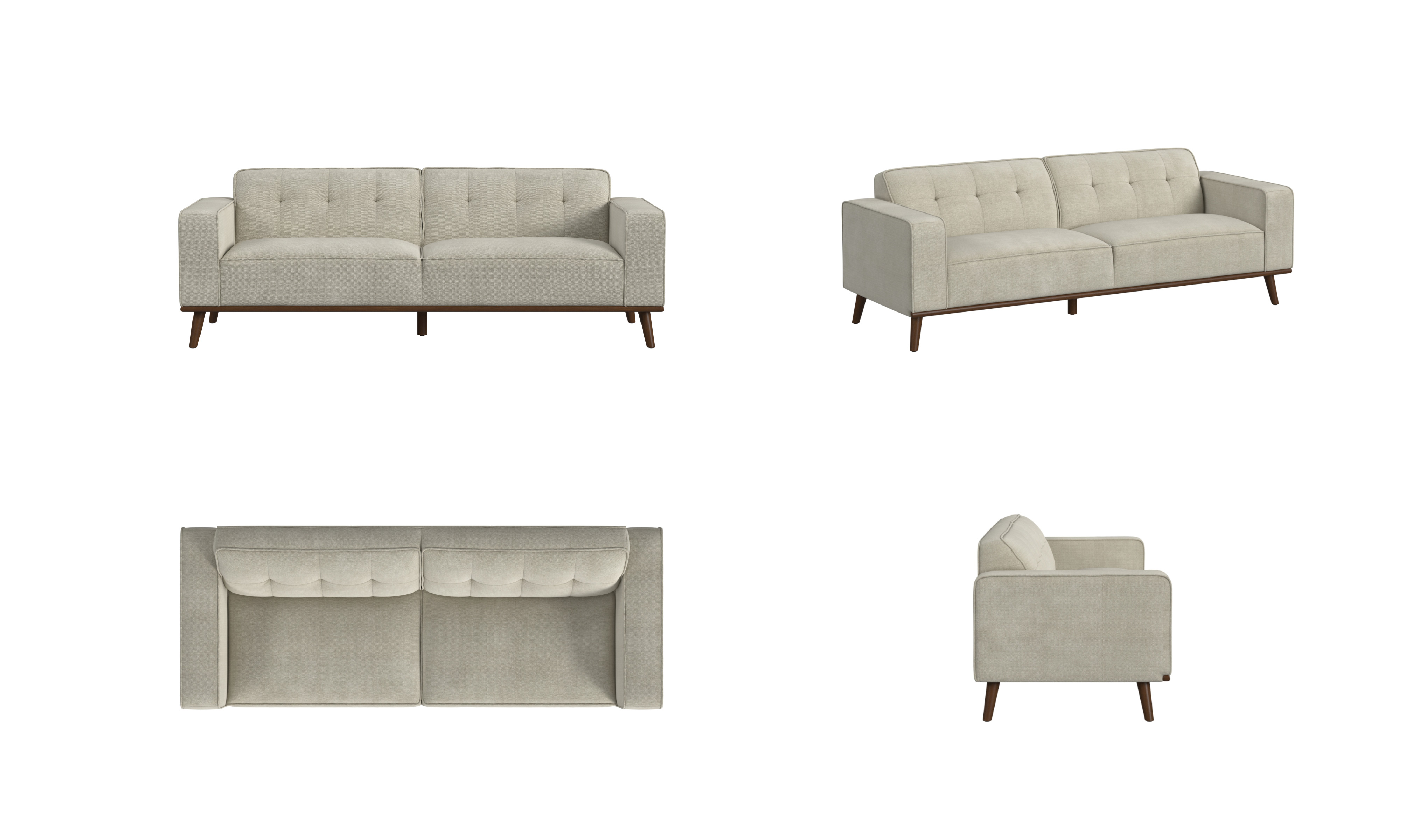
Multi-angle product views
Front, perspective, top, and side views let shoppers inspect a sofa's silhouette, proportions, upholstery, and construction.
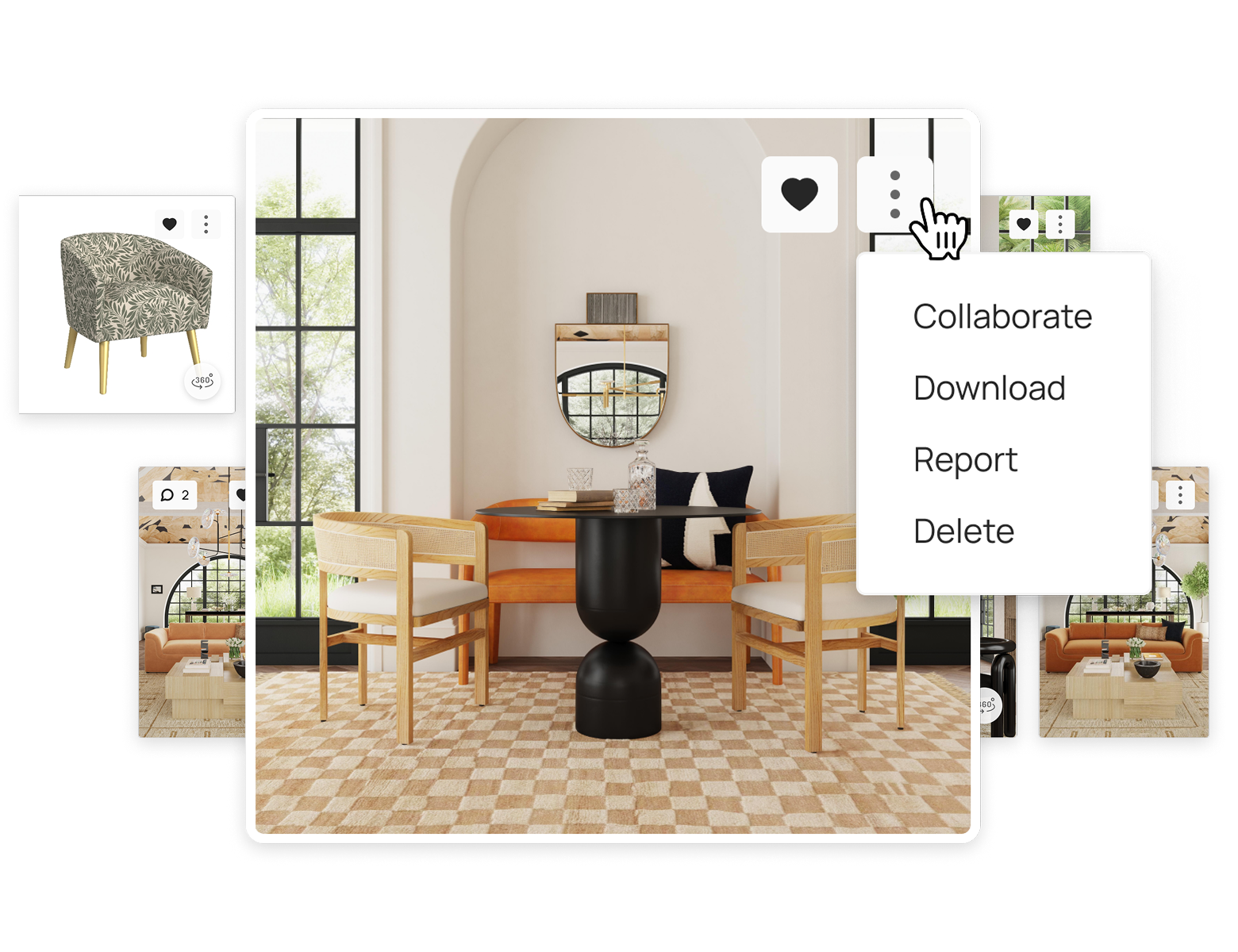
Organizing imagery in ALL3D
A shared asset view keeps product images, scene images, 360 content, comments, and delivery actions together as a usable content library.
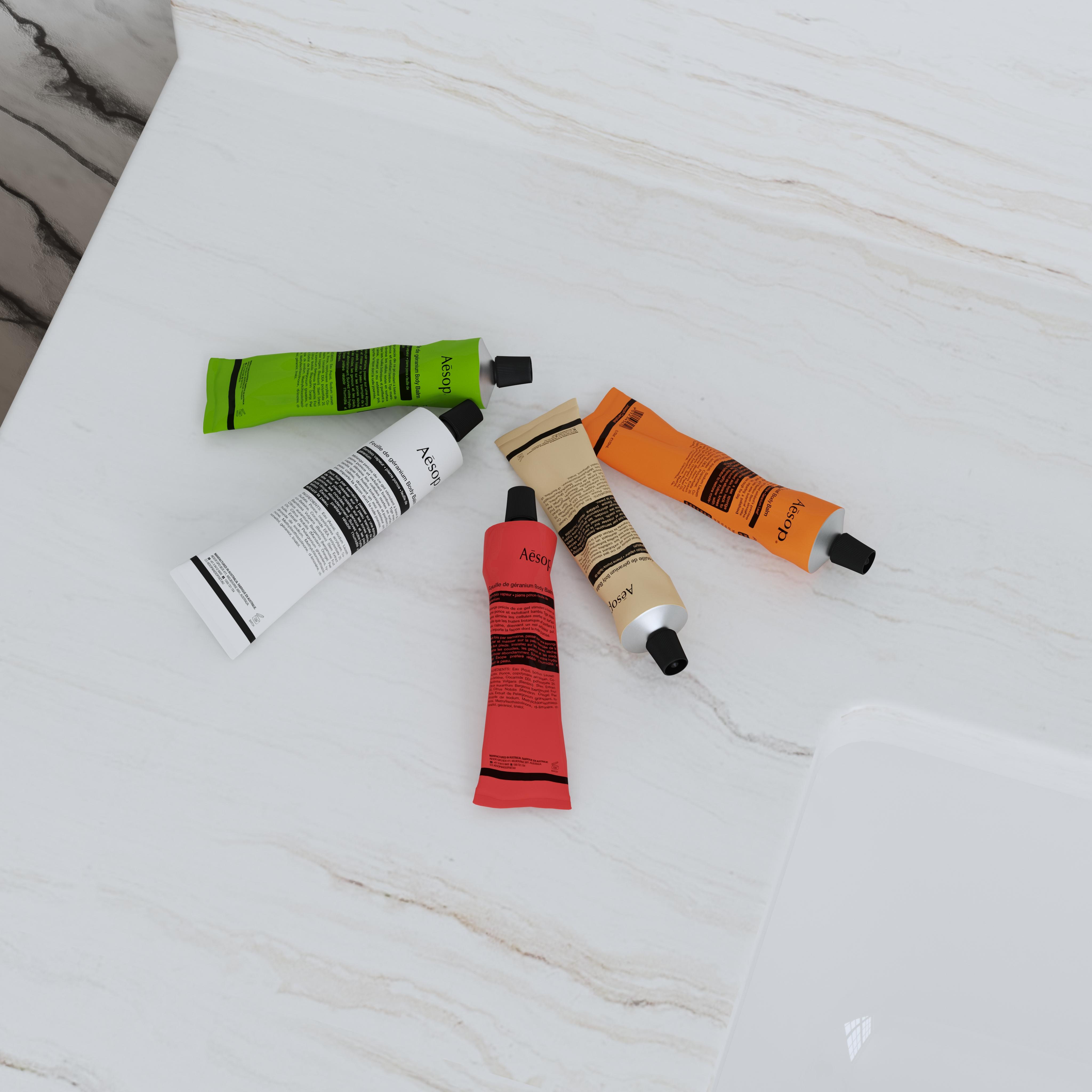
Collection and variant imagery
A coordinated composition can show several colors or related products while preserving each item's recognizable packaging and finish.
The distinction
Product imagery vs. product visualization
The terms overlap, but they describe different parts of the creative workflow: product imagery is the content a brand publishes, while product visualization is a way to create or present that content.
| Compare | Product imagery | Product visualization |
|---|---|---|
| What it describes | The visual assets used to present a product | The process of representing a product visually |
| Typical examples | Hero images, alternate views, details, and lifestyle scenes | 3D renders, AI-assisted scenes, 360° spins, and AR |
| How it is made | Photography, rendering, AI, design, or a mixed workflow | Usually a digital, 3D, or AI-assisted workflow |
| Primary purpose | Give shoppers the visuals they need across channels | Create or deliver a useful view of the product |