ALL3D glossary
Virtual photography
Virtual photography is the creation of photorealistic product images in a digital environment, using techniques such as 3D rendering, digital compositing, and AI-assisted image generation instead of photographing a complete physical scene.
- synthetic product photography
Definition
What is virtual photography?
A virtual photography workflow recreates the creative controls of a photo shoot in software. Teams can position a digital product, choose a camera angle, shape the lighting, build a setting, and refine the final composition without transporting the product to every studio or location shown in the images.
The term overlaps with computer-generated imagery (CGI), but the two are not identical. CGI is a broad category that includes any imagery made with computer graphics, from technical animation to stylized visual effects. Virtual photography is a specific image-making practice within that larger category, focused on composing images through a virtual camera. Modern workflows may also combine real product photos, 3D assets, and AI-generated environments.
In one sentenceVirtual photography applies the art direction of a photo shoot inside a flexible digital production workflow.
Business value
Why virtual photography matters
Ecommerce teams need more product content, in more formats, than a physical photo shoot can always produce efficiently. Virtual photography makes an approved product source reusable across changing campaigns and sales channels.
Create before samples are ready
Produce launch imagery from an accurate 3D asset or design reference while physical inventory is still being manufactured or shipped.
Expand a catalog efficiently
Use the same production setup across many products, colorways, and configurations without staging every combination in a studio.
Change the art direction
Adjust the camera, lighting, backdrop, props, or room when a campaign evolves instead of rebuilding a physical set.
Keep the product consistent
Generate product detail, marketplace, campaign, and social imagery from the same approved product source.
The workflow
How virtual photography works
The techniques vary by project, but a virtual photography workflow usually follows four stages.
- 1
Prepare the product source
Start with a 3D model, design data, or clear product photographs that preserve the product's shape, materials, color, and construction.
- 2
Build the composition
Place the product in a digital studio, a rendered room, or an AI-assisted environment that supports the creative brief.
- 3
Direct the virtual shoot
Choose the camera position, lens-like perspective, lighting, shadows, and styling just as a team would direct a physical photo shoot.
- 4
Review and deliver
Check product accuracy, refine the image, and export the sizes, crops, and formats required for each channel.
In practice
Common virtual photography examples
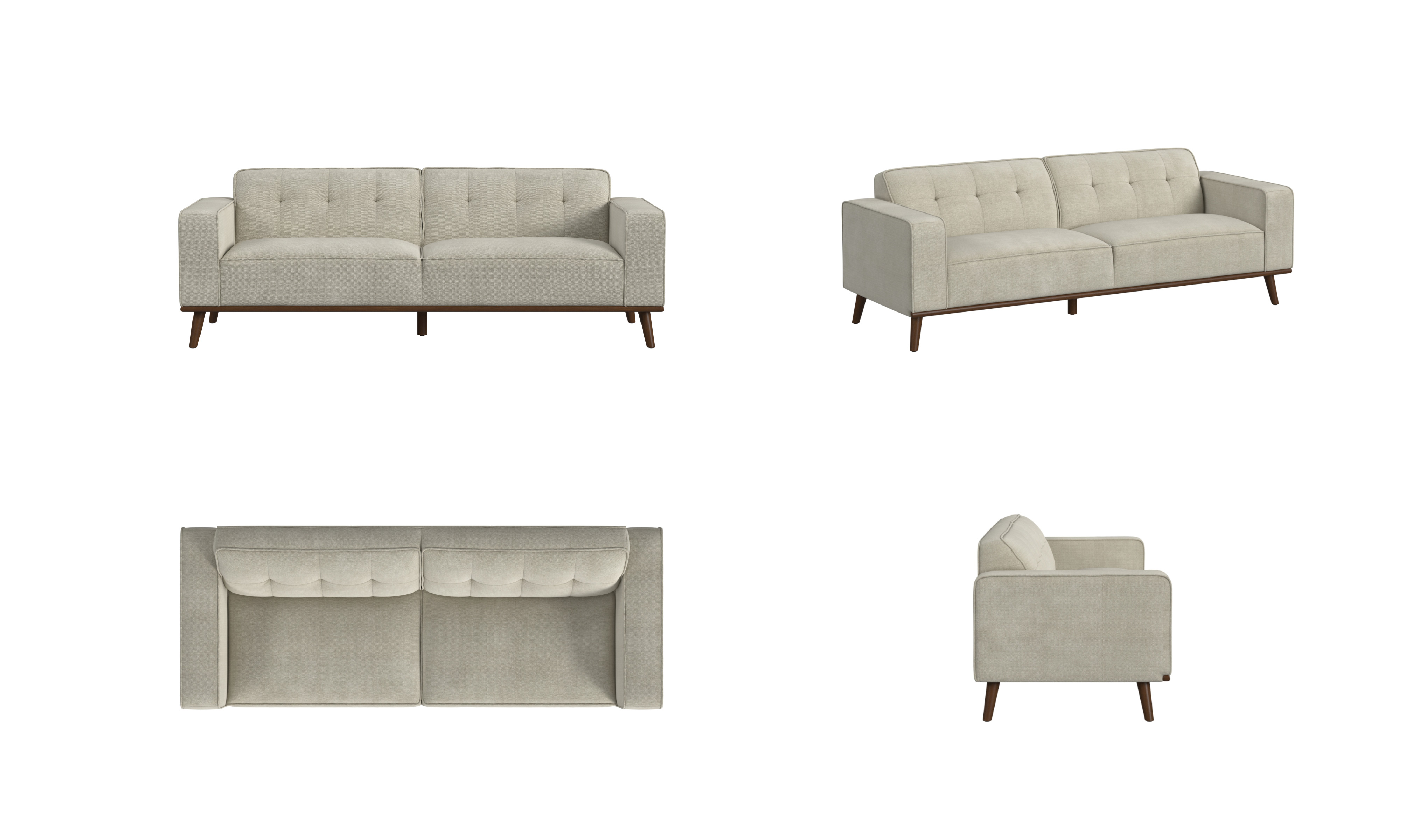
Virtual studio imagery
Consistent product views can be composed against a clean background for a product detail page or marketplace listing.
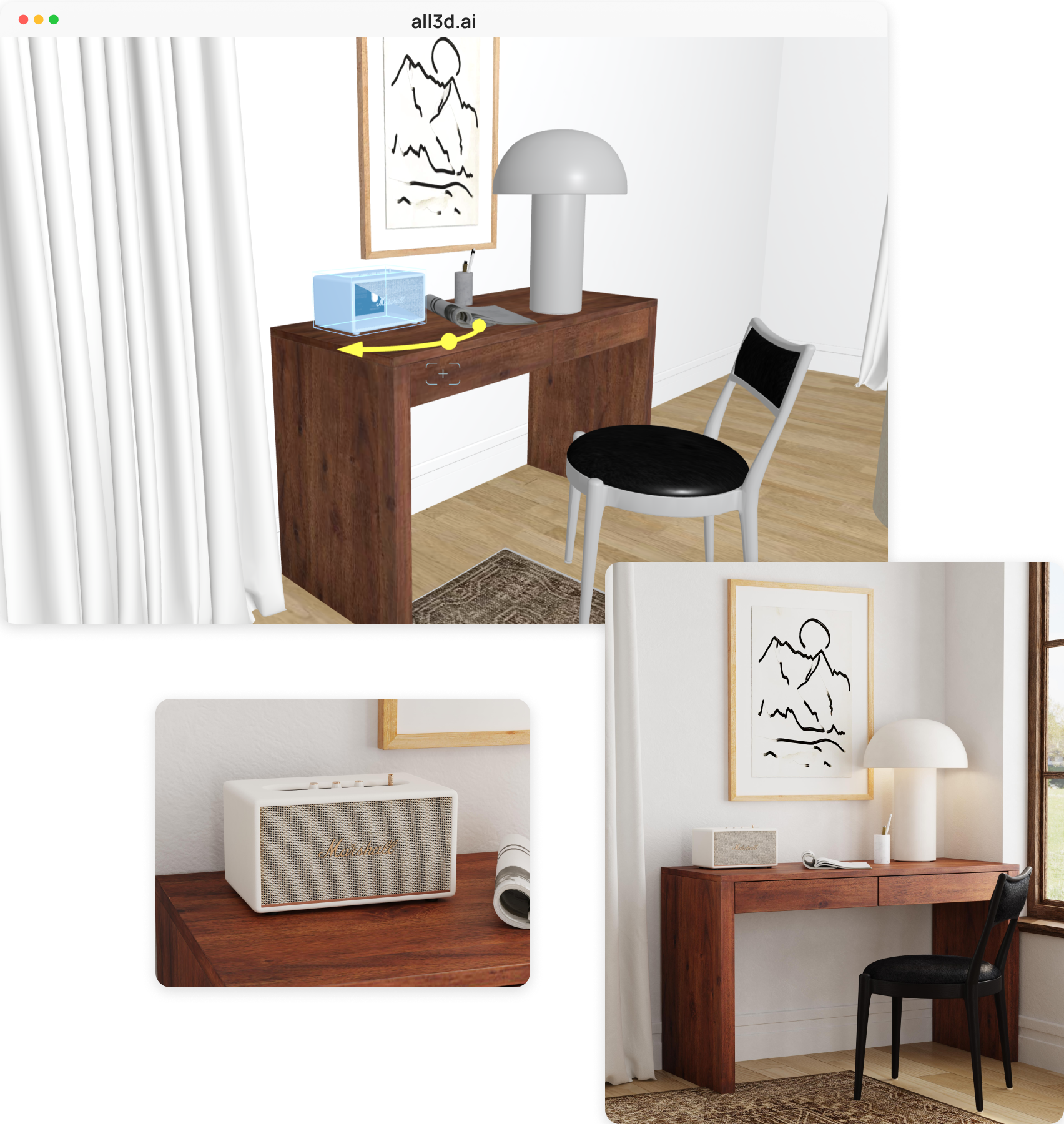
Building the digital scene
The ALL3D scene workflow lets a creative team place a product, adjust the virtual composition, and turn that controlled setup into a finished lifestyle image.
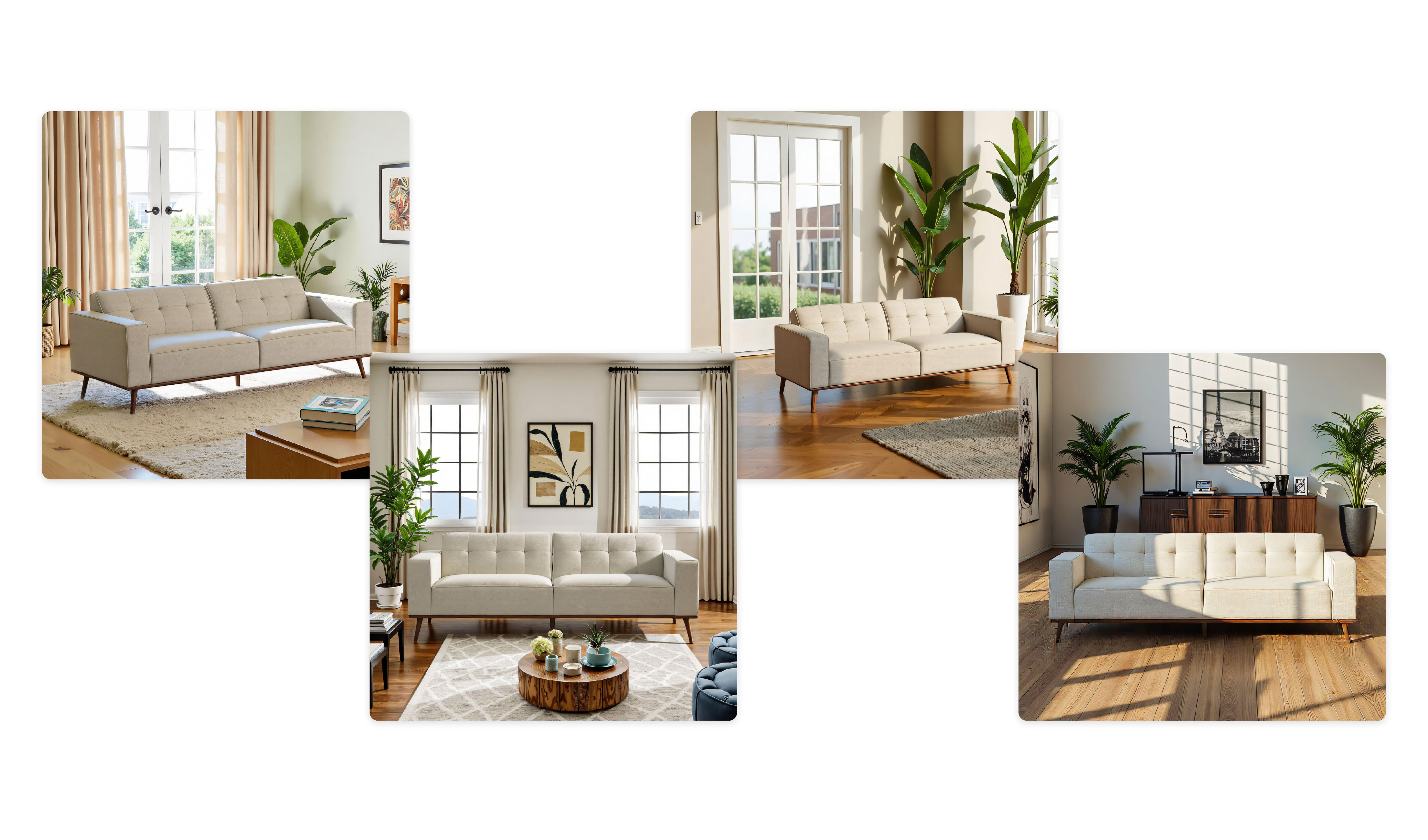
Campaign variations
One approved product can appear in multiple settings to support different audiences, seasons, and creative directions.
The distinction
Virtual photography vs. traditional product photography
Both rely on art direction, composition, lighting, and careful review. The difference is whether the camera captures a physical set or composes a digital one.
| Compare | Virtual photography | Traditional photography |
|---|---|---|
| Product source | A 3D asset, product photos, design data, or a combination | A physical product sample |
| Camera and set | Digital camera controls and a virtual or AI-assisted scene | A physical camera, studio, props, and location |
| Revisions | Reopen the scene and adjust its elements | Restage the set and photograph it again |
| Catalog variations | Reuse the setup across products, finishes, and formats | Prepare and capture each physical variation |